Member Levels on HstockPlus: Two Ladders That Share One Set of Names
The buyer ladder and the seller ladder use the same five labels and agree on nothing else. Here is what each one measures, the three cases where the buyer discount quietly does not apply, and where the ladder actually reaches: 93 per cent of everyone who bought here in the last year is still on the bottom rung.
 Michael Chen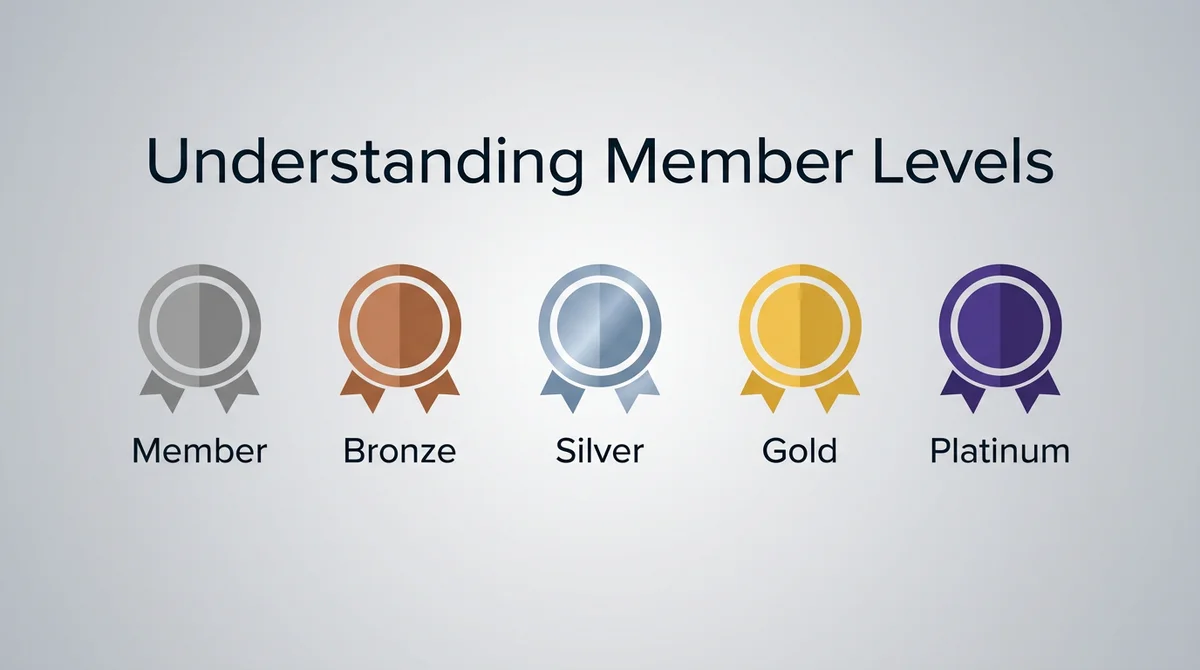
Type "member levels" into Google and every one of the ten suggestions that comes back is a shop or a hotel chain. Ulta, Starbucks, Marriott, Sephora, Costco. That is the model most readers arrive with, and it is the wrong one for this site in a specific and useful way.
In a retail programme the tier is the point. You are meant to chase it, and the benefits are sized so that chasing it pays. Here the level is a record of what you already did, the benefit attached to it is deliberately small, and almost nobody is above the bottom rung. Knowing that in advance saves you from optimising for something that was never worth optimising for.
Two ladders, five shared labels, no other overlap
The single most common misreading is that there is one level system. There are two, and they were built separately.
- The buyer ladder is driven by what you paid, and what it pays back is a percentage off the order.
- The seller ladder is driven by what was sold through your listings, and it pays back nothing resembling a discount. It shortens how long an order waits before it confirms itself, and it lifts a few operational ceilings.
Both run Lv.1 Member through Lv.5 Platinum. The thresholds behind those labels are not the same on the two sides, and they are not close: reaching the second rung as a seller takes an order of magnitude more than reaching it as a buyer. So "I am Silver as a buyer, therefore I am Silver as a seller" does not follow, and the two figures on one account routinely disagree.
Both sets of thresholds live in admin settings and can be edited there, which is why this page does not print them. The tooltip on your own avatar reads from the live values and is the only figure worth trusting. What is stable is the shape: five rungs, the buyer discount rising by a single percentage point per step and topping out in the low single digits, the seller confirm wait falling as the rungs go up.
Where the ladder actually reaches
The threshold table gets published everywhere. The distribution does not, so here it is, counted today under the same rule the code uses to award the tier.
Of everyone who has paid for an order in the last three hundred and sixty-five days, a little over five thousand people, ninety-three per cent are on Lv.1, where the discount is zero. Four per cent are on Lv.2. Two in a hundred reach Lv.3. Roughly one in two hundred reaches Lv.4. Three accounts on the entire site are on Lv.5.
That is not a broken system and the discount is not fake. It is real and it is applied to everyone who qualifies. But the numbers settle one question decisively: this is a reward for buying, not a reason to buy. If you are already ordering regularly it accrues without you doing anything. If you are considering a larger order to reach a rung, the arithmetic does not work, and a percentage point is not worth restructuring a purchase around.
Three cases where the buyer discount does not apply at all
This is the part that generates support tickets, because the level badge is still showing on the account while the discount is absent from the total.
- You are not signed in. The member discount is calculated only for a logged-in buyer. A guest checkout gets none of it regardless of history, and the history is attached to the account rather than to the email address.
- The order is for growth services rather than an account. Orders on the growth-services side are excluded outright. The code zeroes the member discount for them twice over, which suggests it is deliberate rather than incidental.
- You are on the reseller programme. Reseller pricing is a different calculation that runs instead of the member discount, not alongside it. If you have reseller access you are getting the reseller figure and the member tier stops affecting your totals.
A coupon is a separate mechanism again, calculated after the member discount on the same order rather than as an alternative to it.
What actually counts toward the tier
The rule is narrower than "money you spent here", and each clause of it explains a complaint someone has made.
An order counts once its payment is recorded as completed or as partial. A partial payment does count, which is not obvious. Pending, failed and fully refunded orders never count.
The figure used is what you actually paid, falling back to the order total where no paid amount was recorded, and then anything refunded on that order is subtracted from it. An order refunded down to nothing drops out entirely. This is why buying and then returning does not move a level.
The date the order is filed under is the payment date, not the delivery date and not the date it completed. On instant delivery the two are minutes apart. On an order that sat processing across a month boundary they are not, and it is the payment date that decides which side of the window the order falls on.
The window moves every day, and a level can fall
The count is not lifetime. It is the last three hundred and sixty-five days, recalculated continuously, so the far edge of the window is always dropping orders out of the back.
Two consequences follow. An order from four hundred days ago contributes nothing today, no matter what it cost. And a level can fall without anything going wrong: last year's orders age out, nothing new replaces them, and the tier steps down on its own. Nothing is deleted when that happens and there is no penalty attached to it. Order again inside the window and the tier comes back.
Account age, review count and referrals move none of this. Only money inside the window counts.
The exception nobody documents: a seller with no listings
Holding the seller role is not what puts you on the seller ladder. Having a published product is.
With the role but no live listing, your displayed level is calculated the buyer way, from your own paid orders. Publish your first product and the calculation moves to the sales side, usually starting again from the bottom because the seller thresholds are so much higher.
New sellers read the Lv.1 badge on their own account as evidence that their sales are not being counted. Usually the sales are fine and the second ladder simply has not started yet. Adding a product covers listing and approval.
One refund detail that only affects sellers
Worth knowing because it looks like a bug from the inside. Sales are attributed to you line by line, so a mixed order counts only the lines that are yours. But a refund on that order does not remove the refunded line. It scales your entire share of that order down in proportion to how much of the order was refunded.
So a refund on somebody else's line, in an order that also contained one of yours, reduces the sales attributed to you. Small on any one order, visible across a year.
Where the level is visible, and to whom
It is not private. The seller level sits on the shop page where buyers see it before ordering. Both parties see each other's level inside a support ticket, which is how an agent knows who they are talking to. Review authors can display the badge next to their name. The label also appears in some notification emails.
For what each seller rung actually changes, including the caps and the dispute deduction, see seller levels and what they change and the live table at seller levels and benefits. For when a confirmed order's funds become available to take out, see how to withdraw earnings.
Frequently Asked Questions
From money inside a rolling three hundred and sixty-five day window, recalculated daily. As a buyer it is the net you paid on orders whose payment is recorded as completed or partial, minus anything refunded on them, filed under the payment date. As a seller with at least one published listing it is the sales attributed to your lines in the same window instead.
Three cases remove it entirely. You are not signed in, so the calculation never runs. The order is for growth services, which are excluded. Or you are on the reseller programme, where reseller pricing runs in place of the member discount rather than on top of it. A coupon is separate again and is applied after the member discount, not instead of it.
Only the label is. They are two independent calculations with different thresholds, and the seller thresholds are far higher, so the same account commonly shows one figure as a buyer and a lower one as a seller. The buyer ladder pays a discount; the seller ladder pays a shorter auto-confirm wait and higher operating ceilings.
Almost always because old orders left the rolling window and nothing new replaced them. The count is the last year, not your lifetime, so it falls on its own once the far edge passes your last activity. A refund reducing the net figure does it too. Nothing is deleted and there is no penalty; the tier returns as soon as new activity lands.
Very few. Measured across everyone who paid for an order in the last year, about ninety-three per cent are still on Lv.1 where the discount is zero, roughly two in a hundred reach the third rung, and a single-digit number of accounts sit at the top. Treat the discount as something that accrues if you were buying anyway, not as a target worth spending toward.
You have no published product yet. The seller calculation only starts once a listing is live; until then the displayed level is computed from your own paid orders. Publishing your first product switches it to attributed sales, which usually drops the displayed level at first because the seller thresholds start much higher.
Yes. Both ladders are stored as editable settings, including the labels, the amounts and the discount at each step, so any figure written into an article can go out of date without notice. The tooltip on your own avatar reads the current values directly and is the one to trust.
Michael Chen
Tech enthusiast and content strategist specializing in Instagram and Facebook marketing. Loves exploring new trends and sharing insights with the community.