How to Track Your Orders on HstockPlus
Every order carries two separate statuses, and the second most common value of both is one the interface does not currently spell properly. Here is how to read what My Orders is telling you and what to do about each state.
 Sarah Johnson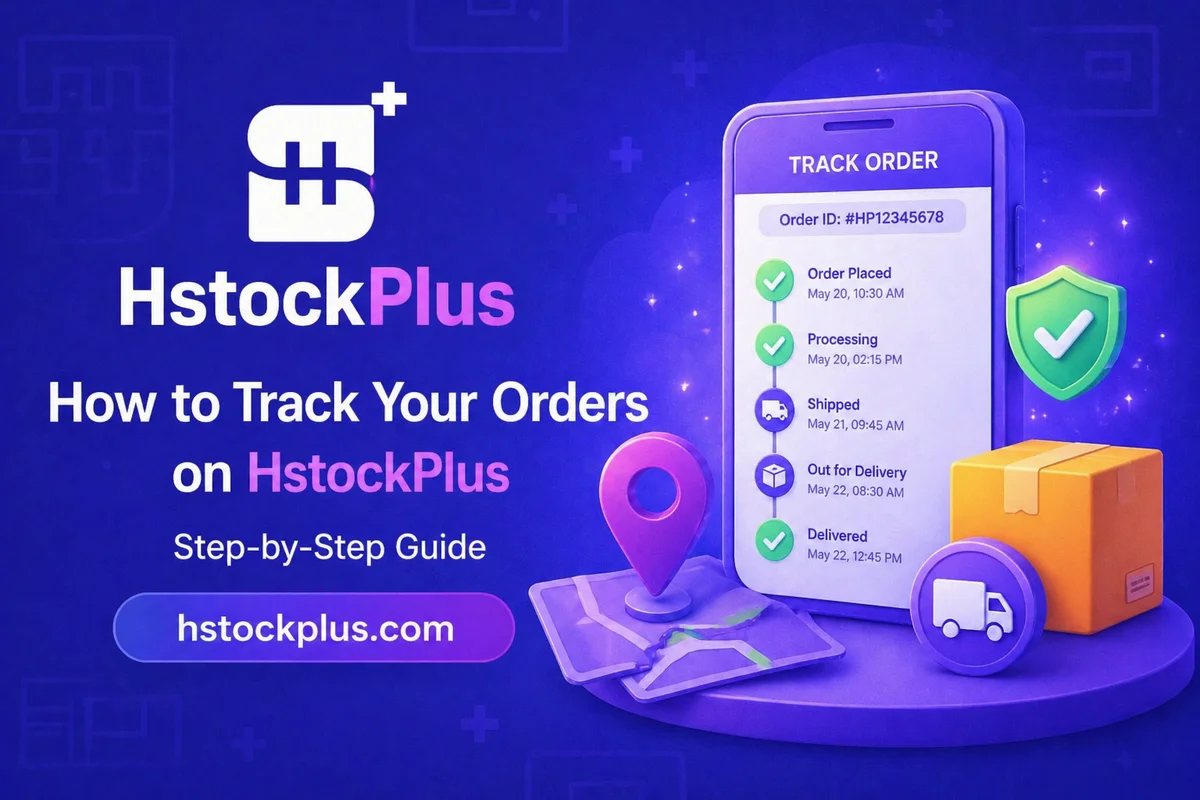
Finding your orders takes four clicks: log in, open your dashboard, choose My Orders, click the order. Nothing on that path needs explaining. What does need explaining is the two badges you land on, because they are separate fields that answer different questions, and the interface currently does a poor job of labelling one of the values you are most likely to see.
There are two statuses, not one
Every order carries an order status, which is about fulfilment, and a payment status, which is about money. They usually agree. When they do not, the disagreement is the useful information.
| Order status | Share of orders | What it means |
|---|---|---|
| Completed | About 91 in 100 | Everything you bought was delivered. The normal outcome. |
| refunded | About 8 in 100 | Money came back, to your site balance by default. Displayed in lowercase, see below. |
| Pending | Under 1 in 200 | Not filled yet. Usually paired with a payment that has not landed. |
| Processing | Rare | In progress. Most common on growth-service orders. |
| Cancelled / Error | Very rare | Fewer than fifty orders in total across the whole platform. |
Payment status runs on its own vocabulary: Paid, Unpaid, Failed, Refunded, and Partial, which means part of the money came back and part did not. Partial is uncommon but it is the one worth recognising, because it is what an order looks like after a piece of it was refunded and the rest was fine.
The one you will actually be confused by
If your order shows a lowercase refunded where every other status is neatly capitalised, that is not a bug in your order. It is a gap in the interface, and your order is fine.
Refunded is the second most common state an order can be in, ahead of pending, processing, cancelled and error put together. Roughly one order in twelve ends there. But the order-status badge does not have a label defined for it, so instead of rendering "Refunded" the way it renders "Completed", it falls back to printing the raw internal value. On the very same row, the payment badge beside it does have the label and reads "Refunded" properly, which makes the mismatch look even more like something went wrong.
Nothing went wrong. The two badges are saying the same thing in two different voices. A fix is queued; until it ships, read lowercase refunded as Refunded and move on.
What to do about each state
- Completed. Open it, check what was delivered, and either confirm or do not. See below, because this is the only status where your action matters.
- Refunded. The money is on your site balance, where it spends like anything else. That is the automatic route and it is what happens by default. If you want it back on the card, wallet or address you originally paid with instead, ask support: that route exists, it is just processed by hand rather than by the system.
- Partial payment on a completed order. Part of the order was refunded and the rest was delivered. Check which lines you actually received before buying a replacement for something you already have.
- Pending with a failed payment. This is the most common disagreement between the two fields, and it means the order never really started. Nothing is owed and nothing is coming. Place it again with a different method if you still want it.
- Pending or processing with a completed payment. You have paid and nothing has arrived. This is the one to act on, and you can act on it yourself: thirty minutes after payment the order page offers a refund of the undelivered portion, no dispute and no support ticket required. How order delivery works covers when that button appears and when it does not.
Inside the order
The order page carries the delivered credentials or the service details, the warranty window, the payment breakdown, and any conversation attached to it. Two things to do here while you are looking:
First, actually test the delivery. Sign in with what you were given, and do it while the warranty window is still open rather than the week after. A credential that looks correct in a text box and a credential that logs in are different claims, and only one of them is checkable.
Second, understand the button before you press it. It is labelled Confirm Received Products, and it does three separate things at once: it releases the money to the seller, it closes off the dispute route, and it opens the review form. There is no undo.
Nobody presses that button, and mostly that is fine
A number worth knowing, because it changes how you should read your own order list. Of the orders on this platform that reached a confirmed state, roughly six in seven were confirmed by the clock rather than by a person. Around seventy-three thousand auto-confirmed against about thirteen thousand where a buyer actually clicked.
That is not carelessness, it is the normal shape of the thing. Most orders arrive correctly within a minute, the buyer uses what they bought, and the confirmation is a formality that happens on its own after a wait set by the seller's level, usually one to three days.
The cost is zero on an order that was fine. It is not zero on an order that was not, because when the clock confirms, the dispute route closes with it. So the discipline is narrow rather than general: you only need to be watching the clock on the orders you have not tested yet. If you checked it and it worked, leaving the button alone costs nothing. If you have not checked it, the timer is the deadline that matters.
For scale on the other side: fewer than three orders in a thousand were ever disputed. The normal case here really is uneventful, and the dispute route is not a crowded queue if you need it.
Practical habits
- Test on the day you buy, not on the day you need it. The warranty clock and the auto-confirm clock both run whether or not you are paying attention.
- If something is wrong, do not confirm and then complain. Confirming is what closes the door. Opening a dispute comes first.
- Guests can reach their orders too. The account created against your checkout email is where they live, so use that address to log in rather than assuming the order is unreachable.
- Read both badges, not just the coloured one you noticed first. The disagreement between them is usually the answer to whatever you were about to ask support.
If you are working out what to buy next rather than what happened to the last one, placing an order covers checkout and the payment methods that are actually live.