How To Sell on Instagram Without a Website
The in-app checkout that made this easy was withdrawn in 2025, and purchases now finish on a seller site. That does not close the route, but it changes it: you can skip building a shop, and you cannot skip having somewhere for the money to land. Here is the version that still works.
 Avery Bennett
You can run a small operation entirely out of Instagram: posts, a highlight that works as a catalogue, orders in the messages, and a link people tap to pay. Plenty of makers and service sellers do exactly that and never build a site.
But one piece of the standard advice for doing it has stopped being true, and it is the piece about money.
What changed, and why your searches keep failing
Instagram used to let a buyer complete a purchase inside the app. That is gone. Reporting from mid-2025 across several independent trade outlets describes the same thing: Meta began withdrawing native checkout from Facebook and Instagram Shops in June 2025, most shops finished the transition by the end of that August, and buyers now complete purchases on the seller's own website. Order management, the post-purchase experience and dispute handling left the apps at the same time.
Two caveats about that, both worth being honest about. None of it could be confirmed against a page published by the company, because those pages return an error to anyone fetching them directly, so this is well-corroborated reporting rather than a first-party document. And the sources describe the scope slightly differently, one calling it global and the others not naming a geography, so no country list appears here. The version that settles it for you takes ten seconds: open one of your own product posts and see whether a buy path appears or whether tapping only opens a product page.
What survives is discovery. Shops, catalogues and product tags still exist and still work. They simply end at your store rather than at a checkout, which means the whole shopping system now assumes the thing this page is about not having.
The distinction that makes the rest of this work
So let us be precise about "without a website", because the phrase covers two very different wishes.
If you mean you do not want to build, host and maintain a store, that is entirely achievable and always has been. If you mean money will change hands with no web page involved anywhere, that is not achievable and never really was. A payment link is a hosted page. What you are avoiding is the building, the design, the catalogue upkeep and the monthly cost, not the existence of a page.
Once you accept that, the setup gets simple, because you only need one link that can take money rather than a site that can present a business.
The pieces, and what each one is standing in for
| What a shop would give you | What replaces it in the app | Where it actually happens |
|---|---|---|
| Product catalogue | A highlight per product or range, plus a pinned post | Inside Instagram |
| The buy button | A payment or invoice link from your payment provider | Off Instagram, on your provider's page |
| Order form | The conversation in messages, or a free form link | Split |
| Shipping and returns page | A pinned highlight you can point at every time | Inside Instagram |
| Reviews and an About page | Reshared customer posts and stories that tagged you | Inside Instagram |
Only one row leaves the app, and it is the row that has to.
Getting a link in front of people
Two placements matter and both are open to everyone now, which was not always the case.
Your bio takes up to five links rather than one, a change made in April 2023 and available to all account types. That is enough to carry a payment link, an order form and a message shortcut without a third-party link page in the middle. The first link shows prominently and the rest sit one tap behind it, so put the one that takes money first.
Stories take a link sticker, and since late October 2021 that has been available to everyone rather than to verified accounts and accounts above a large follower threshold. This is the single most useful thing on the list for a small seller: a story is where you announce that something is in stock, and the sticker means the announcement and the payment are one tap apart. The stories guide covers the mechanics of adding one and what to do when it will not appear.
Taking the order in messages without losing track
Selling in DMs is genuinely workable at small volume and genuinely chaotic above it, and the difference is whether you decided in advance what a complete order looks like.
Pick the four or five things you must have before you send a payment link. For physical goods that is usually the item, the variant, the delivery address, and a contact route that is not Instagram, because you will need to reach the buyer after the sale and a message request is a bad channel for that. Ask for all of them in one message rather than in a conversation, and keep the wording saved so you send the same one every time.
Then send the payment link, wait for it to clear, and only then commit stock. Confirming an order before payment lands is how small sellers end up holding items for people who changed their mind, and it is the failure that scales fastest.
What a professional account is still worth
The old advice was to switch to a business profile to unlock shopping tools. Those tools now lead to the store you do not have, so that is no longer the reason. There are two better ones.
The first is the contact button, which turns "message me" into a tap, and can point at email or a phone number rather than only at Instagram. That gives you the off-platform route you need for order follow-up, on the profile itself.
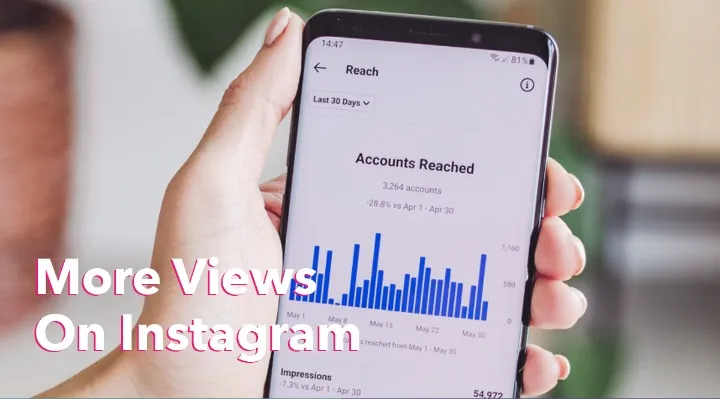
The second is the per-post insights, and specifically the share of each post's reach that came from people who do not follow you. For a seller that number is the difference between talking to your existing customers and finding new ones, and it is the only free reading that tells you which of your posts is actually recruiting.
Getting seen at all
None of this matters if nobody arrives, and the honest answer to that has not changed: post the thing, show it in use, and let people watch you make or do it. Video reaches beyond your followers in a way a photo does not, which is why it is worth the awkwardness of learning.
If you decide to buy a push at some point, treat it as an accelerant for a real promotion rather than as the plan. The Instagram growth listings here come from several independent suppliers with the delivery terms printed per service, and the other platforms use the same layout. For the wider question of what actually pays on this platform and what does not, the earning guide is the one to read next, and the business marketing guide covers the account setup underneath all of it.