A Complete Guide to Instagram Hashtags
How Instagram hashtags work, how many belong on a post now that the cap is five, and how to build a tag list for your niche using photography, fitness, and day-of-week examples.
 Sarah Johnson
Hashtags tell Instagram what a post is about, and they put that post in front of people browsing the subject. Pick a tag with care and your photo reaches viewers who already follow the topic. Grab a tag because it trends and the post drops into a flood of uploads where nobody stops on it. Instagram capped a feed post at five tags in December 2025. Anything past the fifth is ignored rather than counted, so the old advice to fill thirty slots now wastes most of them.
What a hashtag does for a post
Every tag you add files the post under a tag page. Someone who searches #streetphotography sees a Top grid and a Recent feed, and your post joins that Recent feed the moment you publish. Instagram reads the same tag as a label. Accounts that save and comment on street photography get shown more of it in Explore, so a matched tag can bring views from people who have never heard of you.
Tags also gather people. A wedding photographer who puts one studio tag on client galleries builds a small archive that couples can scroll. A run club that agrees on a single tag can find each member's Sunday post in one place. That use has little to do with reach and a lot to do with people coming back.
Reach from tags has a hard limit. Instagram weighs saves, shares, and watch time when it decides who else sees a post, so a tag opens the door and the content decides what happens next. Hashtag counts do not buy reach on their own.
The six kinds of hashtags
Instagram sorts tags by the job they do. Knowing which job you need stops you from filling a caption with six versions of one idea.
- Industry tags place you in a field: #photography, #realestate.
- Niche tags narrow that field to a subcategory: #filmportrait, #kettlebelltraining.
- Branded tags belong to you. Your studio name, a challenge you run, a tag for one launch.
- Community tags connect a post to a shared identity: #runnersofinstagram, #slowliving.
- Descriptive tags say what the frame contains: #goldenhour, #mealprep.
- Location tags name a city, a neighborhood, or a venue: #miamiweddingphotographer, #londonbakery.
A caption that works mixes them. One industry tag gives Instagram a category. Four to six niche and descriptive tags do the work of finding the right viewers. One branded or location tag brings the people who can hire you.
How many hashtags should you use
Five, on a feed post. That is the cap Instagram introduced in December 2025, down from thirty, and tags beyond the fifth do not count. Instagram has described this as a gradual rollout rather than a hard block, so what you should expect is the extra tags quietly doing nothing, not an error message. Caption and first comment are summed against the same five.
Because the ceiling is now low enough to reach in one line, the interesting question has changed. It used to be how many of thirty slots to fill. It is now which five are worth having.
A caption stuffed with 30 broad tags creates two problems. It reads as spam to anyone who scrolls past the first line, and it tells Instagram the post belongs to a dozen loose subjects at once, which muddies the label attached to your account. With only five slots, each one has to point at a group of people who actually want that subject.
The old advice was a range that scaled with your account size, and every version of it assumed thirty slots. With five, the question is not how many but which, so spend them by job rather than by follower count.
| Slot | What it is for |
|---|---|
| One | The subject, named the way someone browsing it would name it |
| Two or three | Specific and close-fit, narrow enough that the feed is not a flood |
| One, optional | A place, or your own brand or campaign tag |
Fewer than five is fine. Three tags that are true of the post beat five where two were padding, because a tag that would sit equally well on ten other posts in your field is spending a slot to say nothing.
Why two tags and five tags can both work
A tight set of two or three keeps the caption readable and forces you to choose. It suits an account with a steady audience, a post whose subject is obvious, or a page where Reels and shares carry most of the reach. Using all five hands Instagram more context, which helps a new account, an educational carousel, or a post that belongs in several small tag feeds where competition stays low. The gap between two tags and five is now the whole decision.
Test within the cap instead of guessing. Pick one content type, run two or three tags for two weeks and the full five for the next two, then compare saves and profile visits from people who do not follow you. Judge across five posts or more per range. A single post tells you about that post and nothing else.
Where the tags go
Caption and first comment both work. Caption tags stay easy to edit and every reader sees them. First-comment tags keep the caption clean, which suits brands with a tidy voice, and they cost you nothing as long as you post that comment the moment the post goes live. Wait a quarter of an hour and you give away early indexing time.
Two other spots earn their place. Stories take a tag sticker or hidden text, and a light touch reads better than a wall of stickers. Your bio accepts tags, which helps when you run a branded tag you want visitors to open. Put the sharpest tag near the front of a caption, since Instagram cuts the caption after about 125 characters and hides the rest behind More.
Build a list for your own niche
Copying a block of tags from a blog gives you the same tags as the thousands of accounts that copied it first, and most of those blocks were written for a thirty-tag ceiling that no longer exists. Build your own around size tiers, then keep it in a notes app so tagging a post takes seconds.
| Tier | Post volume | Role |
|---|---|---|
| Large | 1M and up | Reach attempt, short life in Recent |
| Medium | 100k to 1M | Steady discovery |
| Small | 10k to 100k | Best odds of holding a spot in Top |
| Micro or branded | Under 10k | Community and repeat viewers |
Tag volumes shift, so check counts in the app before you commit a set. A balanced set runs around two large tags, four medium, four small, plus one or two branded or location tags.
Photography: genre and place beat #photography
#photography holds hundreds of millions of posts. Your image sits in Recent for a few seconds, and the Top grid belongs to accounts you cannot outrank yet. Tags in the 20,000 to 200,000 range give a mid-size photographer hours in Top instead of seconds.
Match the tag to the genre and the place. A portrait shooter in Toronto gets more from #torontoportraitphotographer than from #portrait. Wedding work pairs a city tag with the venue name; street work pairs a style tag with the city. Someone searching #miamiweddingphotographer wants to book a photographer, while someone scrolling #love wants nothing. Watch saves as your main signal, because a save means a viewer wants that image again.
Fitness: tag the segment your post serves
Fitness splits into a dozen audiences. A strength page needs #strengthtraining, a home-workout creator needs #homeworkout and #nogymneeded, a coach selling programs needs #onlinecoach next to a city tag. Tag a yoga flow with #bodybuilding and you pull viewers who scroll straight past, which drags your engagement rate down and teaches Instagram to shelve you in the wrong place.
Split fitness tags by lifespan too. Evergreen tags such as #workoutroutine and #healthylifestyle describe the niche and keep working for years, so six to eight of them can anchor a set. Trend tags spike for days and fade, whether they ride a viral challenge or a January push, so two or three per campaign is plenty and each one needs a check in the app first.
Day-of-week tags: rhythm you can keep
Day tags concentrate a crowd on one day. On any Monday a large group posts and browses #MondayMotivation at the same hour, which gives a fresh post a real window in Recent. The second benefit is the prompt. A weekly theme fills the blank caption box and makes a posting habit easier to hold.
| Day | Common tag | Content that fits |
|---|---|---|
| Monday | #MondayMotivation | Goals, week-ahead plans |
| Tuesday | #TransformationTuesday | Before and after, progress |
| Wednesday | #WednesdayWisdom | Lessons, behind the scenes |
| Thursday | #ThrowbackThursday | Older work, origin stories |
| Friday | #FridayFeeling | Lighter posts, partner shout-outs |
| Saturday | #SaturdayVibes | Lifestyle, leisure |
| Sunday | #SundayFunday | Recaps, planning, wellness |
Those are popular examples, and dozens more circulate; tag popularity moves, so confirm volume in the app. Pair one day tag with several niche tags. A baker posting a dough-to-loaf reel under #TransformationTuesday reaches the theme crowd and the baking crowd at once, while the generic tag alone drops the post next to a hundred thousand strangers with nothing in common. Pick two or three days you can hold to rather than all seven, and publish at the start of the window when your followers are online. Your Insights will show you that window better than any chart, and a posting cadence you can sustain matters more than the day tag itself.
Find tags, then refresh them
Explore is the cheapest research tool you have. Open a post from an account that serves your audience, read its tags, then tap one and study the accounts sitting in Top. Note the tags that repeat across several strong posts and check the volume of each. Competitor captions give you the same information for free.
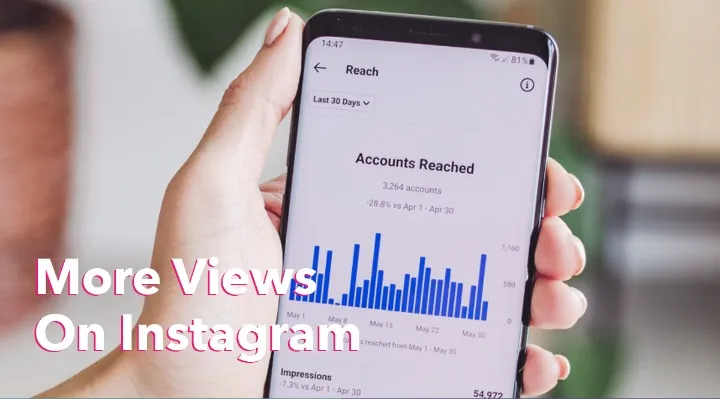
Instagram Insights closes the loop. Open a post, tap View Insights, and read the Discovery section for reach from hashtags. Impressions from a tag mean little on their own. Profile visits and saves tell you the people that tag brought wanted more.
Then refresh on a schedule you can keep. Rotate most of the set by subject each time you post, hold two or three core tags for continuity, and review the whole list every month or two. Volumes drift and trend tags die, and a block you paste on every post gives Instagram less to separate one post from another. A scheduler helps if you store one set per content type.
What hashtags cannot fix
A post with five perfect tags and a blurry photo goes nowhere, because the people who see it do not stop. Tags decide who gets a first look. Content decides the rest.
- Weak posts. When viewers do not save or share, a bigger tag block will not rescue the post.
- The wrong audience. Tags that pull viewers with no interest in your subject lower your engagement rate and confuse the label Instagram gives your account.
- Banned and spam tags. Instagram restricts some tags, and a restricted tag can keep a post out of tag feeds. Before you blame the count for a reach drop, check whether a shadowban is behind it.
- A profile that says nothing. Discovery traffic bounces when a visitor cannot tell what you do in five seconds, so fix the bio and the first row of the grid before you fuss over tags.
Growth comes from posts people want to keep and a cadence you can hold. Tags help those posts get found, which is where organic growth work and a business plan for the account carry the weight. Some creators add a small paid push around a launch to widen the first wave. HstockPlus runs as a marketplace, so Instagram services there come from several independent suppliers and you can compare them before deciding. Keep any push in proportion to the content behind it.
A routine you can repeat
Build two or three sets in your notes app: one for your main subject, one for the place you work in, one for the community you belong to. Use a single set per post, then log which posts brought profile visits and drop the tags that bring none. Ten minutes a month keeps the list current, and a set built from your own Insights beats a copied one.