How To Know If You’re Shadowbanned On Instagram
Instagram now has a screen that answers this in plain language, and almost nobody opens it. Here is where Account Status lives, what it reports, and what to check when it reads clean.
 Michael Chen
Your reach falls off a cliff, your hashtags seem to stop working, and you start to wonder: have I been shadowbanned? Often the real cause is a normal algorithm shift, not a secret penalty. But reduced distribution does happen, and it helps to know how to tell the difference and what to do about it.
The useful change since most guides on this were written is that you no longer have to guess. Instagram ships a screen that states its position on your account in plain language, and that is where this starts.
Open Account Status before you change anything
Go to your profile, open the menu, then Settings and privacy, then Account, then Account Status. On a professional account it reports three things separately, and the separation is the diagnosis.
- Content that was removed for going against the rules, named post by post, usually with a control to request a review.
- Features that are currently restricted, such as commenting or messaging.
- Whether your account and your posts are eligible to be recommended to people who do not follow you, across Explore, Reels and feed recommendations, and separately whether the account can turn up in Search and Suggested Accounts.
That third line is the official name for what people mean by a shadowban. If it says you are eligible, your reach fell for some other reason, and weeks spent changing the wrong things is the cost of not looking. If it says you are not, you have a specific cause and a review button instead of a theory.
Allowed to stay up is not the same as eligible to be recommended
This is the part that catches people, and it is worth more than any test. Instagram holds recommended content to a stricter bar than the one it uses to decide whether a post can remain on the platform. A post can break neither rule you have read about, stay up, collect no warning, and still be held back from Explore, Reels and feed recommendations because it is judged low quality, sensitive, or unsuitable for people who did not choose to follow you.
Nothing notifies you when that happens. It shows up as followers seeing your work and strangers no longer finding it, which is exactly the pattern people describe when they say their account was hit. Check the screen before you accept the theory.
When the screen reads clean
Ignore the "shadowban checker" sites. They cannot see any of the above; they scrape a little public data and guess, and the ones asking for your login are a different problem entirely. Now that Instagram states its own position for free inside the app, there is no reason to ask a stranger who cannot see it.
These self-tests are worth running only after Account Status reads clean, and each has a caveat attached.
| Test | How to run it | What it can and cannot tell you |
|---|---|---|
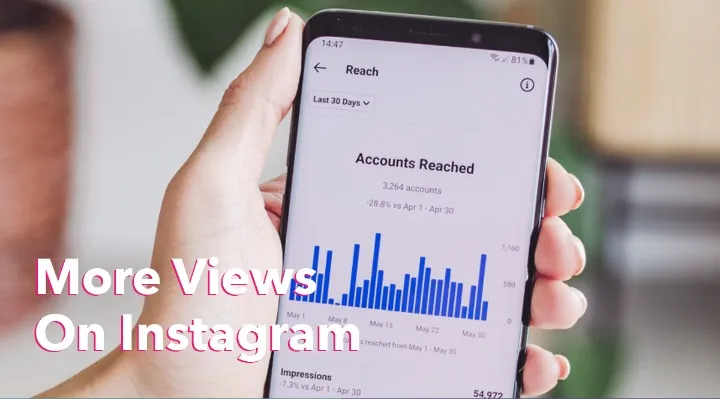
| Reach trend | Check Insights for reach from non-followers over a month, not a post | A sharp, sustained drop is a flag; a single post is noise |
| Format split | Compare Reels against feed posts over the same period | If only one format fell, the account is probably fine |
| Timing | Did the drop start right after you changed a tool or a habit? | Links the drop to a cause you can undo |
| Hashtag visibility | Use an obscure tag, ask a non-follower to search it | Weak now, see below; never conclusive either way |
Self-tests, not certainties. Use them together, not in isolation.
Why the hashtag test stopped proving much
Three things changed underneath it, and none of them is a penalty.
- Following a hashtag was removed in December 2024. Posts from followed tags stopped flowing into anyone's feed. Accounts that were carried by that route lost reach without doing anything at all.
- A post is capped at five tags. If you were running thirty, the drop dates to that change rather than to anything you did. The complete hashtag guide covers how to spend the five.
- Instagram says tags do not drive reach. Mosseri has stated they label a post and help it turn up in search. A tag feed was never the main road, so its traffic drying up is a weak signal about your account.
Run it if you like, with an obscure tag rather than a crowded one, because a busy tag page turns over too fast for absence to mean anything. Treat a miss as a hint and never as a verdict.
Common causes
- Bot-like activity: mass following, liking, or third-party automation.
- Repeatedly reported content or community-guideline strikes.
- Posting the exact same content or comment repeatedly.
- Content that stays up but sits outside what Instagram will recommend.
How to recover
- Read what Account Status names and request a review where it offers one. That is the only route that reaches a human.
- Stop any automation and revoke its access, one app at a time. Deleting the app without revoking the access leaves it connected.
- Take a short break from aggressive activity for a few days, while continuing to post normally.
- Fix or remove the specific posts the screen points at. Deleting your whole archive is not that, and it costs you the record of what your account is about.
- Keep posting genuine content and give it several weeks before you judge the result.
Instagram publishes no timeline for this, and the day counts that circulate online have nothing behind them. What is certain is that the state does not change while the behaviour that caused it continues.
Prevent it going forward
Avoid automation bots, keep activity at human levels, and open Account Status occasionally rather than only in a panic. For the case against automated growth, read how organic growth actually works, and for the follower side of the same problem see clearing out fake followers.
If you rebuild with a paid push, choose delivered engagement services over tools that log into your account and act as you. On the HstockPlus marketplace, Instagram engagement services from several suppliers can be compared on quality, which avoids the automation that causes most of these cases in the first place.