How to Make Reels on Instagram in 2026
The technical steps take minutes. Here is the full flow from recording to publishing, the specs worth getting right, and the three-minute line that decides whether strangers ever see it.
 Michael Chen
Making a Reel is the easy part. Making one that gets reach takes a little more thought. The good news: the technical steps take minutes, and the creative choices that matter are learnable. This guide walks through both.
Here is how to create a Reel from scratch in 2026, plus the settings and choices that decide whether it spreads.
Create a Reel, step by step
- Open Instagram and tap the plus icon, then choose Reel.
- Record in-app with the camera, or upload clips from your gallery.
- Trim and reorder clips on the editing timeline.
- Add audio: pick a trending track or your own sound.
- Layer text, captions, and effects where they help.
- Tap next, write a caption with a hook, add a few relevant hashtags, and share.
Get the specs right
| Setting | Recommended | Why |
|---|---|---|
| Orientation | Vertical 9:16 | Fills the screen, no black bars |
| Resolution | 1080 x 1920 | Sharp on all phones |
| Length | 7 to 30 seconds for most, and under three minutes always | Higher completion rate, and past three minutes discovery stops |
| Captions | On | Many watch with sound off |
General best-practice settings; experiment for your niche.
How long you can make it
Two separate limits apply, and mixing them up is the most common mistake in Reels advice written before 2025.
The first is what the app accepts. Ninety seconds was the maximum for years and stopped being the maximum in January 2025, when three minutes took over. The accepted length has kept climbing since: camera-roll uploads have been reported at roughly ten minutes, then around fifteen, with twenty minutes reaching some accounts. Recording inside the Reels camera runs shorter than uploading a finished file, and because these changes roll out gradually, two accounts can see two different numbers on the same day.
The second is what the algorithm will carry, and it has stayed at three minutes. Instagram's guidance is that Reels over three minutes are not recommended to people who do not follow you. Past that mark your Reel is still live, still on your profile, still in your followers' feeds, and no longer being pushed into the Reels tab or Explore.
So the practical rule for a Reel meant to grow an account is short enough to finish and under three minutes without exception. Save the longer runtimes for tutorials and reference videos you will point people at yourself, and treat the lost discovery as a choice you made rather than a surprise.
The first second is everything
Your opening frame decides if anyone watches the rest. Lead with the result, a bold question, or a striking visual. Skip slow intros and logo splashes. Watch time drives reach, and watch time is won or lost in second one.
Use audio and text wisely
Trending audio can ride a wave of reach, so check the Reels audio library for tracks marked as trending. Add on-screen text for the many viewers who watch muted, and keep it short enough to read at a glance.
Post, then read the data
| Metric | What it tells you |
|---|---|
| Watch time / completion | Whether the hook and pacing work |
| Shares | Whether it is worth passing on |
| Saves | Whether it has lasting value |
| Reach from non-followers | Whether discovery is firing |
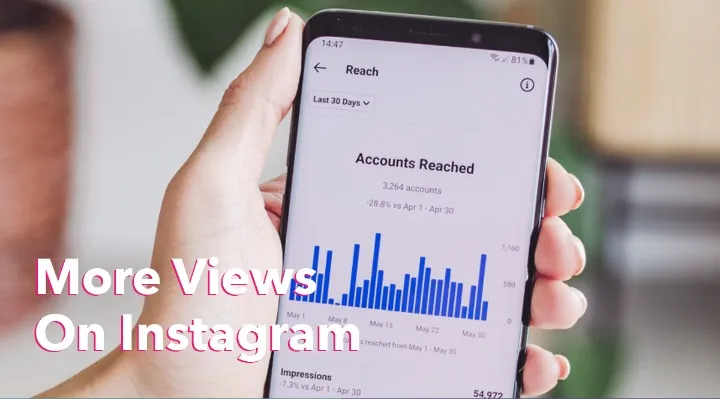
Check these in Insights and iterate on what works.
That last row is the one to watch if you have been publishing longer Reels. Reach from non-followers collapsing while views from followers hold steady is what the three-minute recommendation ceiling looks like in your own Insights.
Give a strong Reel a push
For the format basics, read what an Instagram Reel is. To widen the first wave on a standout Reel, a modest boost is one lever; on the HstockPlus marketplace, Instagram engagement services from several suppliers can be compared before you decide. Keep it small and content-led. For reach realism, see what actually moves reach.