What auth_token and ct0 Actually Do on X (Twitter)
A tool asked for two strings instead of your password. Here is what each one is, why one without the other is useless, how to read the real expiry rather than trust a number someone made up, and what to do with a token that arrived with a purchase.
 Sarah Johnson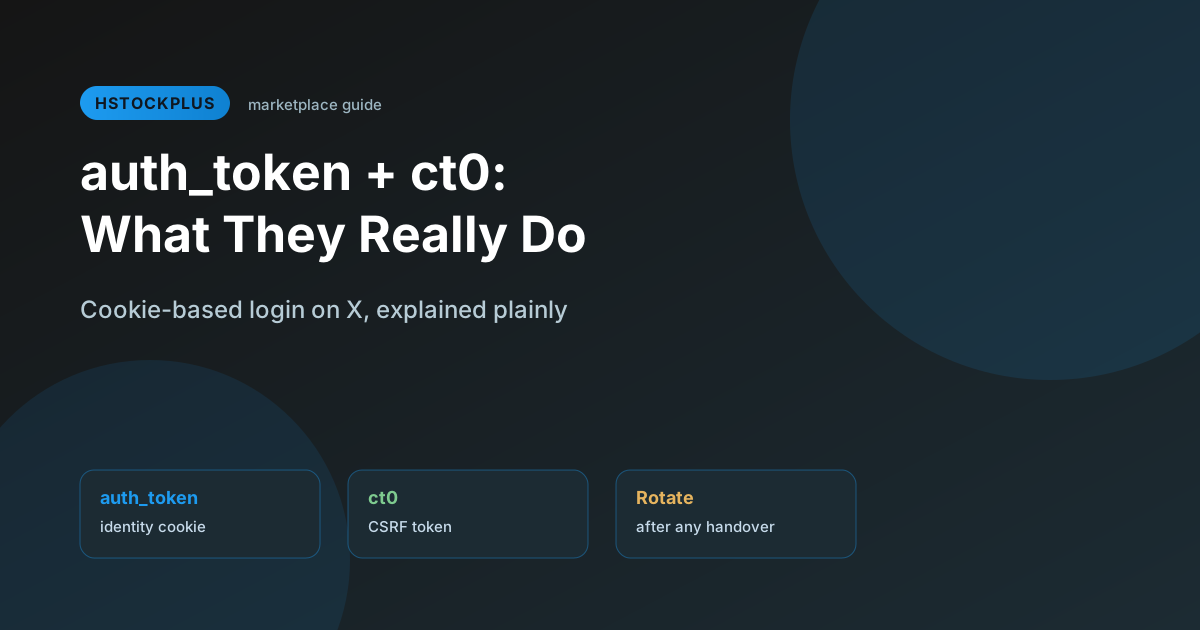
You are setting up a tool that connects to X and the form does not want a username and password. It wants two strings called auth_token and ct0, copied out of your browser's developer tools. It looks like a workaround somebody invented.
It is not. It is the same mechanism your browser already uses every time you open x.com and are not asked to log in again. Understanding the two pieces makes it much easier to judge whether the tool asking is being reasonable, and how carefully the values need guarding once you have them.
Two cookies, and neither is any use alone
When you log in with a password, X sets a handful of cookies so it does not have to ask again on the next page load. Two of them do the work.
auth_token is the identity. It says which account this browser is logged into, and it is the one that matters. Anyone holding it holds your login.
ct0 is a cross-site request forgery token. It has no identity attached to it at all. Its job is to be present and matching on write actions, so that another website cannot quietly make your logged-in browser post something.
So auth_token alone proves who you are but will not get a write action past the check. ct0 alone is meaningless. A tool needs both to act on the account the way a logged-in tab would, which is exactly why tools ask for the pair.
How long they last, and why we are not going to tell you
Guides state confident lifetimes for these. Months for one, hours or days for the other. So did the previous version of this page.
None of that is published. These are internal implementation details of a private platform, X's help pages refuse automated requests so we cannot read them, and every figure in circulation traces back to third-party tool documentation repeating other third-party tool documentation. A number that cannot be checked is worse than no number, because it tells you to stop looking.
The good news is that you do not need anyone's estimate, because the cookie carries its own expiry and your browser will show it to you. Open developer tools, go to the Application or Storage tab, find Cookies, select x.com, and read the Expires column on the row you care about. That is your actual answer, for your actual session, today. It beats every figure on the internet including any we could have printed here.
Why a tool would ask for cookies instead of a password
Practical reasons, not sinister ones. Cookie import skips repeating a multi-step login every time a session ends, and it works on an account with two-factor enabled, because the cookie already represents a session that got past the second factor. For anyone running several accounts through one tool, that removes a lot of repetition.
The trade-off is real and worth stating plainly. A password can be changed and that is the end of it. A leaked auth_token gives whoever holds it the same access you have, for as long as that session lives, without needing your password and without tripping your second factor, because the second factor was already satisfied when the cookie was minted.
Password login and cookie login, compared honestly
Neither is automatically correct. It depends on what you are doing and how much you trust the thing asking.
- Repeat setup effort. Password and second factor: slower, and repeats. Cookie import: faster once you have the values.
- Cutting access off again. Password: not by itself, see below. Cookie: end the session from the sessions list.
- If it is intercepted. Password: the second factor usually stops it being used. Cookie: it works immediately, on its own.
- What it suits. Password: everyday manual use. Cookie: a tool you have researched and intend to keep.
There is a third option most people skip past, and it is the right one for anything long-running. An application authorised through X's official developer flow holds a grant of its own. It does not ride on a browser session, so ordinary security housekeeping does not break it, and it can be switched off individually without touching anything else. On our own X shelf it is also the rarer and cheaper format: listings tagged for the official authorisation flow are about one in thirteen, at roughly two fifths of the middle price.
Revoking a token, and the thing everyone gets wrong here
It is commonly said, and the earlier version of this page said it, that changing your password invalidates old session cookies, so a password change is your emergency stop.
Do not rely on that. X does not publish a statement we can read either way, and in September 2022 Twitter disclosed that voluntary password changes had not been ending sessions on other devices at all, a bug that had been running for months before it was fixed. Whatever the behaviour is today, a control whose effect you cannot verify is not an emergency stop.
The action that does work is explicit and it is in your settings: Security and account access, then Apps and sessions, then Sessions. Log out of all other sessions. Every cookie minted by those sessions dies with them, including any copy somebody else made. Change the password as well if you want, but the sessions list is the thing doing the work. The full sequence, and the reasons for doing it in a particular order on an account you just acquired, is in changing an X password without locking yourself out.
Handling the values, if you are going to use them
Treat the string exactly as you would treat the password, because functionally it is one. Only paste it into a tool you have looked into. Do not screenshot it, do not put it in a chat or a ticket, and do not leave it in a text file that syncs to cloud storage. When you stop trusting a tool, end the session rather than simply removing the tool, because deleting the tool does not delete the copy it made.
If the account came with a token file
Plenty of listings ship one, and on our shelf it is a normal format rather than an exotic one: a little under a third of the live X listings are tagged as including cookies. Notably they cost less than the shelf median rather than more, at roughly four fifths of the middle price, which tells you the market treats a supplied token as a convenience rather than as an asset.
The reason it is priced as a convenience is the reason to be careful with it. A token that arrived with a sale has been seen by at least one other person, and possibly by everyone who received the same batch. Assume it is a shared credential, because that is what it is.
So use it to get in, and then stop using it. Log in, sign out all other sessions, put your own recovery email and phone on the account, and only then change the password. The token you were given stops working at the sessions step, and that is the outcome you want. Generating a fresh one afterwards, from your own logged-in browser, takes a minute.
What sellers disclose about token handover varies a great deal, which is exactly why it is worth comparing rather than taking the first listing. The full X account listings page shows what each one states.
Before you rely on cookie login for anything that matters
- You know what each of the two values does, not only that the pair works
- You have read the real expiry off your own browser rather than trusting a number in a guide
- The tool has a track record, or supports the official authorisation flow instead
- Any token that came with a purchase has been retired by signing out all other sessions
- No raw value is sitting in a chat log, a screenshot, or a syncing text file
- You know where the sessions list is, because that is what you will need in a hurry
X's own help pages are the first-party reference for supported login methods. We could not read them from here, so we are not going to summarise them for you.