The Telegram SMS Fee and the Code That Never Arrives Are Two Different Problems
One is a decision taken on Telegram's servers about your login. The other is a message that never left your carrier. They look identical from the outside and almost nothing that fixes one touches the other. Here is the thirty-second test, and what the rented-number data says before you spend anything.
 Sarah Johnson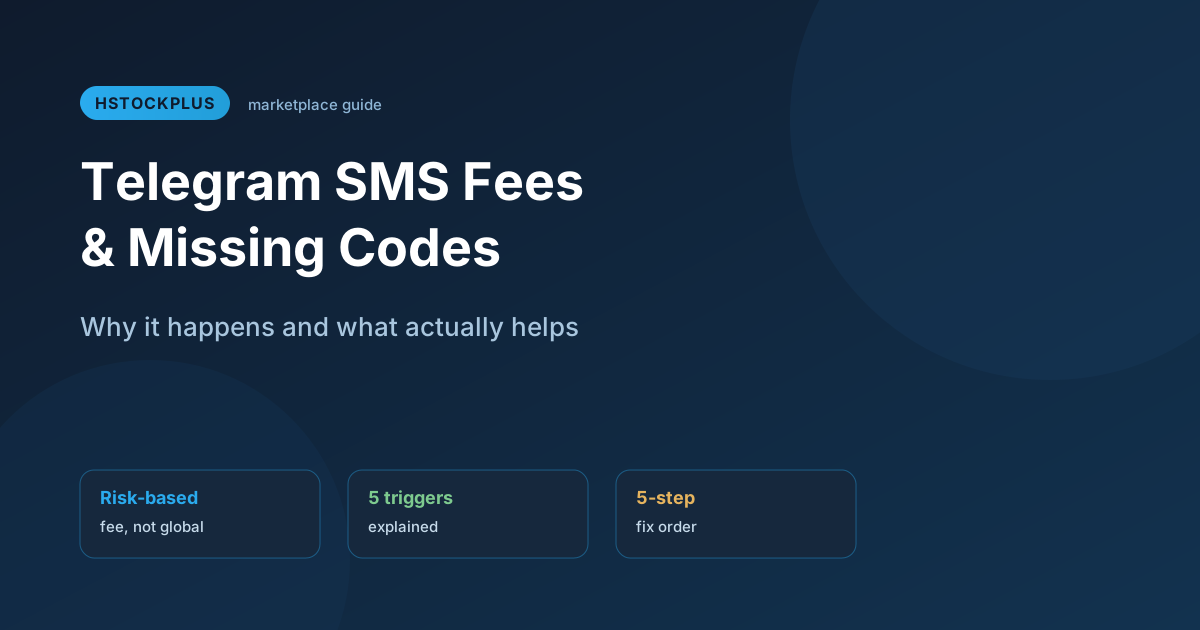
Two screens send people to the same search box. On one, Telegram asks you to pay for the text message before it will send it. On the other there is no screen at all: you enter the number, tap next, and nothing happens. No code, no error, no explanation.
They are not the same problem and they do not share a fix. One is a decision taken on Telegram's servers about your particular login attempt. The other is a message that never made it out of a carrier network. Treating them as one thing is how people burn six attempts on a number that was never going to work.
The thirty-second test
One question separates them: did any screen mention a payment, a fee, or a subscription?
- Yes. You are on the risk check. Requesting the code again does not help, because nothing about the delivery route was the problem. Requesting it repeatedly in a short window makes things worse, since rapid repeat requests are one of the patterns the check exists to notice.
- No, it was just silent. That is delivery. Here waiting and retrying genuinely helps, changing network genuinely helps, and asking for a voice call helps most of all, because voice travels a different route from text and the two are rarely blocked together.
Before you conclude a code has vanished, check inside Telegram itself. If you are still signed in anywhere else, on a laptop, a tablet, an old phone, the code goes to that session first and never touches SMS at all. Look in Saved Messages and in the official service chat on that other device.
Why skip, bypass and fix apk are the wrong search
The most common searches around the fee screen are for a way around it, usually by platform and often by downloading something. It is worth being blunt about why that route is empty.
The decision is taken on Telegram's side before any message is sent. A modified client, a patched APK or a different build of the app changes what runs on your phone, and the thing refusing you is not running on your phone. What such a download can do is read every message in your account, which is a steep price for a workaround that cannot work by construction.
The same logic disposes of the reinstall. Removing and reinstalling the app clears nothing that the check looks at, because none of what it looks at lives in the app.
Free VPNs are worth a separate warning, since they are the most-recommended fix and among the least effective. The addresses they hand out have been used by very large numbers of people for exactly this kind of registration. Arriving from one is close to the opposite of the signal you want to send.
What we can and cannot tell you about the trigger
Telegram does not publish the criteria, so nobody can honestly tell you which specific combination unlocks your case. What can be said is the shape of it: it weighs the login as a whole rather than any single fact, and the number's own history is part of that weight. A SIM that has registered several accounts before carries that history no matter which handset it is in.
Which is why the useful list is the inverse one. Changing phones does not reset a number's history. Reinstalling does not either. Neither does creating a new email address. If a page tells you a specific trick reliably removes the prompt, it is describing something it cannot know.
Renting a number: the counts, not the promise
The SMS verification page rents a number for a few minutes so a code can land on it. Across every rental this site has ever taken, 1,971 of them, 469 reached a received code. That is under a quarter. It is a cheap attempt, not a purchased outcome, and the price is low precisely because that is what it is.
Telegram specifically is a thinner story and worth stating as counts rather than a rate. 104 of those rentals were for Telegram and 6 produced a code. That is a small sample and it is presented as one, but it points the same way as everything else on this page: Telegram is a hard number to receive on, and it is hard for the same reason the fee screen exists.
The one rule that decides whether you lose the money
This is the most concrete thing on the page and it comes from the code that runs the feature, not from advice.
- Releasing a number that never got a code refunds you automatically, straight to site balance, with no ticket and no waiting. Every one of the 921 released rentals in the history of the site is recorded as refunded.
- Letting the clock run out does not. Of 488 expired rentals, 454 remain charged.
So when a few minutes pass and nothing has arrived, do not close the tab and do not walk away. Press release. You get the money back and you can try a different country immediately. Waiting for the timer is the only way to actually pay for nothing.
The route that skips the number entirely
The Telegram accounts shelf holds 799 live listings from 42 suppliers, and what it prices says more about this problem than any advice could.
Four listings in five ship TDATA, the desktop client's session folder. You import the folder and you are signed in. No number is entered and no code is requested, because the session already exists.
The "SMS Verified" tag sits at the shelf median exactly. It is on roughly a third of listings and buyers pay nothing extra for it. That is the market saying something clearly: on this shelf nobody is buying a verified number, they are buying the right to skip the number step. Verification only commands a premium on shelves where the platform keeps demanding the phone.
What does carry a premium here is the second factor, on nearly six listings in ten. Before you buy, read whether the two-step password is included in the delivery. An account with two-step verification switched on and no password supplied is an account you cannot reconfigure later.
If you buy one, the first day is the one that matters
Two clocks start the moment an account is delivered, and they run in opposite directions.
The first is the warranty, and on this shelf the median is twelve hours from delivery rather than from payment. Test the login the same day. Buy in the evening, check in the morning, and the window has usually closed.
The second is Telegram's own. For twenty-four hours after you sign in, Telegram's API refuses to end any other session, returning a forbidden error on all three of the calls that could do it, including the one that would merely shorten how long other sessions live. There is no setting for this and no way to shorten the wait.
That ordering is forced on you, so work with it. On day one, open the active sessions list and record what is there, then change the two-step password, which is not blocked. The device list is evidence you can act on later, not an action you can take now. On day two, come back and end the other sessions. If the account was going to fail, the warranty has usually run out before the lock lifts, which is exactly why the same-day login test is the part you cannot skip.
The order that costs least
- Look for the code inside a Telegram session you already have open somewhere. Free.
- Ask for a voice call instead of a text. Different route, free.
- Change network once, mobile data to Wi-Fi or the reverse, and try once. Not five times.
- Wait fifteen minutes before the next request. Impatience is what feeds the check.
- If a fee screen appeared and will not clear, rent a number from an inexpensive country and release it the moment it is clear nothing is coming. Repeat a few times before spending more.
- If the number itself does not matter to you, stop paying for codes and buy a session instead.
A stable connection is worth more here than a clever one. If you keep registering from addresses that look shared, a residential proxy reduces how often you arrive looking like everyone else, though it will not remove the check. And Telegram's own FAQ remains the only authority on what the app itself will do; everything about the risk check, here and everywhere else, is inference from the outside.