كيف تطلب من البائع خصماً بالجملة على HstockPlus
أرسل الكمية والخصم المطلوب والموعد النهائي من محادثة البائع. إذا وافق البائع، ينشئ HstockPlus الطلب بهذا السعر ويخصم من رصيدك.
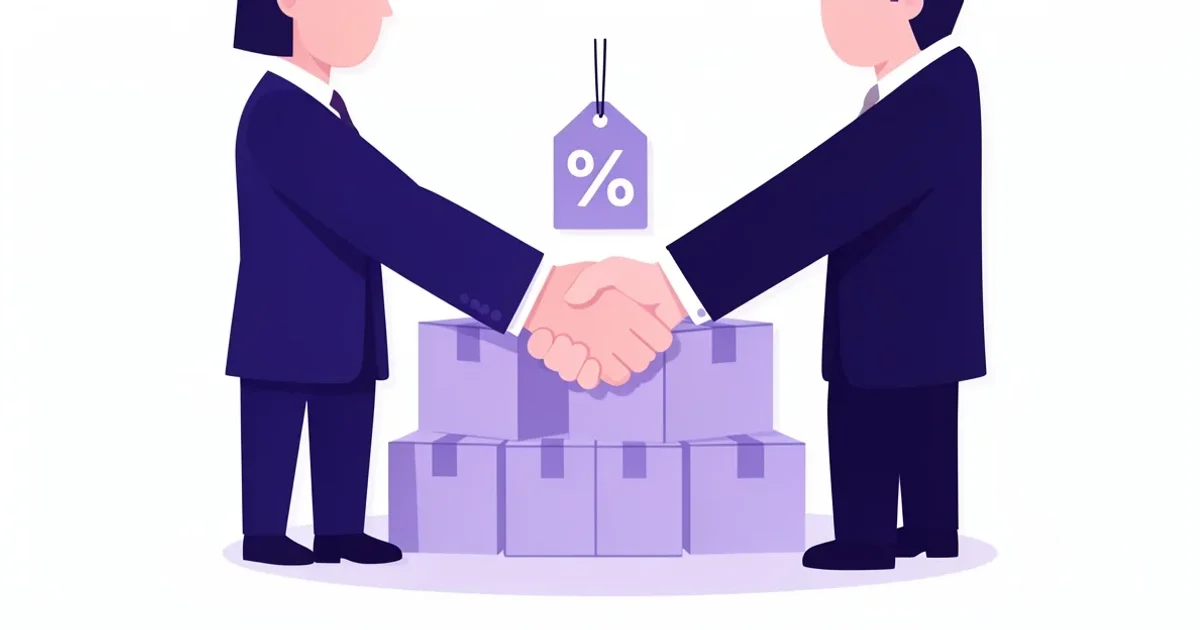
شراء بضع مئات من الحسابات بالسعر المُدرَج يزيد التكلفة بسرعة. بدلاً من المساومة ذهابًا وإيابًا في المحادثة، يمكنك إرسال طلب واحد منظّم إلى البائع: عدد الوحدات، ومقدار الخصم، والموعد النهائي. إذا وافق البائع، تُنشئ HstockPlus الطلب بسعرك وتخصم المبلغ من رصيدك. لن تحتاج للعودة إلى صفحة المنتج لإتمام عملية الشراء.
افتح محادثة البائع
في صفحة المنتج، اضغط على أيقونة المحادثة بجانب اسم البائع لفتح التواصل مع البائع. أبقِ خيار إرفاق مرجع المنتج مفعّلاً حتى يشير الطلب إلى هذا العرض تحديدًا. ضمن ما هي المشكلة؟، اختر السعر أو الخصم أو عرض بالجملة.
املأ طلب الخصم
يطلب النموذج أربعة أمور:
- الخيار: النوع الذي تريده، عندما يحتوي العرض على أكثر من متغيّر واحد.
- كم عدد الوحدات التي تحتاجها؟
- الخصم المطلوب: نسبة مئوية أعلى من 0 وحتى 50.
- أحدث وقت للتسليم: الموعد النهائي لكل من رد البائع والتسليم. يبدأ افتراضيًا بعد 24 ساعة ويمكن ضبطه في أي مكان من ساعة واحدة إلى 30 يومًا مقدمًا.
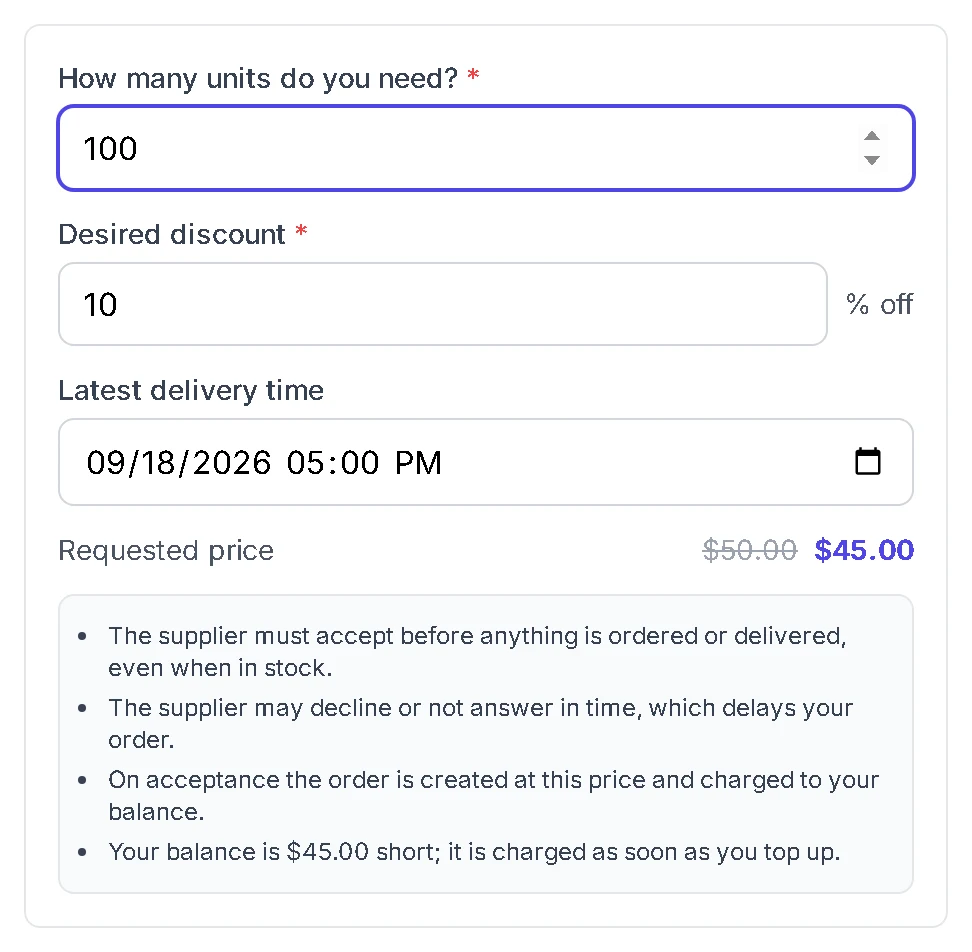
يعرض النموذج إجمالي السعر المُدرَج مشطوبًا بجانب السعر الذي طلبته، لترى مقدار التوفير قبل الإرسال. يحتاج البائعون إلى وقت للقراءة واتخاذ القرار، ولهذا السبب يظهر تحذير عند اختيار موعد نهائي أقل من 24 ساعة.
أضف رسالة قصيرة، ثم أرسل. الإرسال لا يخصم أي مبلغ.
ما يراه البائع
يستلم البائع طلبك في سلسلة المحادثة وفي صندوق طلبات الخصم الخاص به، مع الكمية والسعر المُدرَج والسعر المطلوب وموعدك النهائي. يرد بضغطة واحدة.
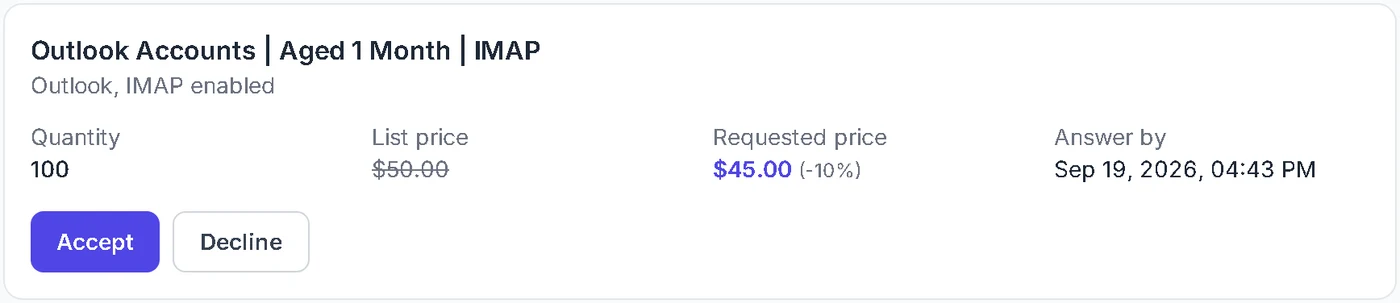
في كلتا الحالتين، تنشر HstockPlus القرار في سلسلة محادثتك، فلا داعٍ لمراقبة صفحة الطلب.
إذا وافق البائع
تُنشئ HstockPlus الطلب بالسعر المطلوب وتخصم رصيدك على الفور. يبدأ التسليم من مخزون البائع الحالي. الوحدات التي لا يملكها البائع بعد تصل عند إعادة التخزين، وأي كمية لا تزال ناقصة عند أحدث وقت للتسليم تعود إلى رصيدك، بنفس الطريقة التي يعمل بها الطلب المسبق.
رصيدك غير كافٍ في تلك اللحظة؟ ينتظر الطلب المقبول. اشحن رصيدك، وستخصم HstockPlus المبلغ وتُنشئ الطلب فور وصول الأموال، وذلك حتى موعدك النهائي.
إذا رفض البائع أو لم يرد
يمكن للبائع أن يرفض ويضيف ملاحظة توضح السبب، مثل سعر آخر يمكنه قبوله بدلاً من ذلك. سترى الملاحظة على الطلب، مع زر ترجمة إذا كانت بلغة أخرى. الطلب الذي لا يرد عليه أحد ينتهي عند أحدث وقت للتسليم الذي حددته. في كلتا الحالتين لا يُخصم أي مبلغ، ويمكنك الشراء بالسعر المُدرَج أو إرسال طلب جديد.
تتبع طلباتك وإلغاؤها
اذهب إلى الطلبات وافتح طلبات الخصم. يعرض كل طلب حالته، والسعر المُدرَج والسعر المطلوب، والموعد النهائي.

تحتاج للتراجع؟ اضغط على إلغاء الطلب ما دام الطلب لا يزال مفتوحًا. أما بعد تحوله إلى طلب فعلي، فأدره من صفحة الطلب بدلاً من ذلك.
تذكّر ما يلي
- قد يرفض البائع الطلب، أو يتأخر في الرد، وهذا يؤخر عملية الشراء. إذا كنت تحتاج الحسابات الآن، اشترِ بالسعر المُدرَج.
- لا شيء يُشحن قبل أن يوافق البائع، حتى لو كان العرض يحتوي على مخزون.
- لا يُحجز المخزون أثناء تفكير البائع. إذا استنفد مشترون آخرون العرض أولاً، ينتظر طلبك المقبول إعادة التخزين.